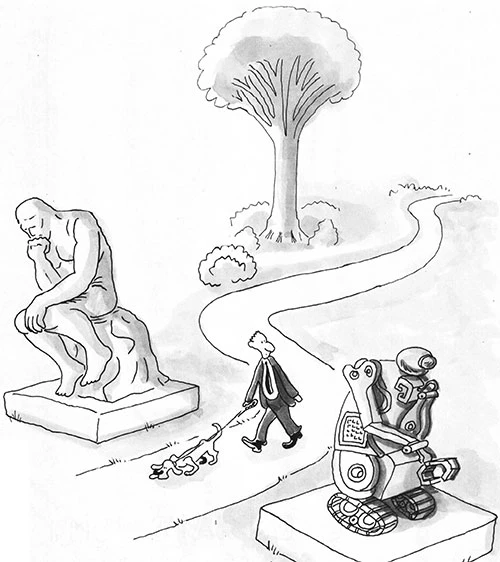
On September 8, the same day that Jacob Coxon resigned from Anthropic, he released a string of warnings on X. Making the most headlines was the post that warned AI was advancing so quickly, it would likely kill us all by the end of the decade. Other researchers and tech execs were just as concerned, he claimed, but often downplayed the risks to the public. Quickly, experts from other AI companies joined Coxon in expressing their alarm and called for AI development to be slowed until adequate safeguards were put in place.
Putting some safeguards around AI development seems like a no brainer, but many of are skeptical of these sudden alarm bells. If the risk was so high, why wait for the government to demand what each company could have already been doing? White House AI advisor David Sacks suggested that this was a coordinated move to get Congress to exempt them from antitrust laws so that these companies can look altruistic while forming a cartel.
Scares of the past
Whatever the motives, AI seems to have now supplanted climate change and overpopulation as the latest version of catastrophism to scare us all. In his 1968 book The Population Bomb, Paul Ehrlich predicted that millions would starve in the 1970s and ‘80s as the human population exceeded our food resources. Later, he predicted that England might not exist by 2000 and that U.S. lifespans would soon be in a sharp freefall. None of these predictions came true. In fact, as the global population more than doubled, famine deaths plummeted, thanks to improvements in agriculture and other technology.
In the 1970s, popular magazines such as Time and Newsweek predicted another imminent ice age would cover the globe by 2000, due to the use of aerosols and natural climatic cycles.
By the late 1990’s, predictions of global cooling were replaced by predictions of global warming. By 2000, entire nations would disappear under water, and the Arctic would be ice-free by 2013. Some predicted that by 2018, children would never again see snow.
Also in the 1970s, we were warned that, by the 1990s, all oil reserves would be used up. Happily, new methods of extraction and new sources were discovered, so the supply has grown.
In the late 1990’s, there was the Y2K scare. Because computer systems, including those used by major corporations and the government, only used two digits to mark the year, they would potentially all crash when they rolled over to 2000. Thankfully, predictions of airplanes falling from the skies, the power grid going down, all economic institutions failing, and civilization collapsing were not realized. The computers clicked from 99 to 00 with very little effect.
Why they’re always scared
Predictions of catastrophe not only tickle the human propensity for drama, but they flourish within a worldview in which human existence is believed to be an accident. In a godless, naturalistic way of seeing life and the world, it should never have evolved the way it did. We barely survived, as evolutionary biologist Stephen J. Gould famously put it, “by hook and by crook.”
Even worse, we still have the potential to mess it all up. Life proceeds on razor thin margins so we should be worried. The weight of the world is on our shoulders, with our fossil fuels, carbon emissions, and spray-on sunscreen. It is heavier than we imagined, and we are likely to drop it.
Our surety
The Story of Everything according to Holy Scripture is quite different. While we were created to participate with God in the stewarding of His creation, we were never meant to carry the weight of it all. In fact, we cannot. It’s far beyond our ability to determine the future of life on this planet.
The fate of the world is not in our hands. It is in God’s hands, and He has demonstrated His care and concern for it and especially for us, over and over again. And since God is sovereign, He will accomplish His purposes in history with or without our cooperation. In fact, by dying and rising again, Jesus has defeated the enemy of this world and our souls, and now all authority has been given to Him. This is where the Bible puts the weight of the world.
Our responsibility
This is no get-out-of-jail-free card for us. What we do matters. Our ideas and actions have very real consequences.
But we live in the world He made and continues to care for. Even as our sin has corrupted the good creation, He accommodates to our fallen states in protecting us, many times from ourselves. Check the texts again: expelling Adam and Eve from the Garden was as much an act of mercy as it was punishment. Separating the languages at Babel was so that we would not do anything and everything we could dream up (something we should know but frequently forget).
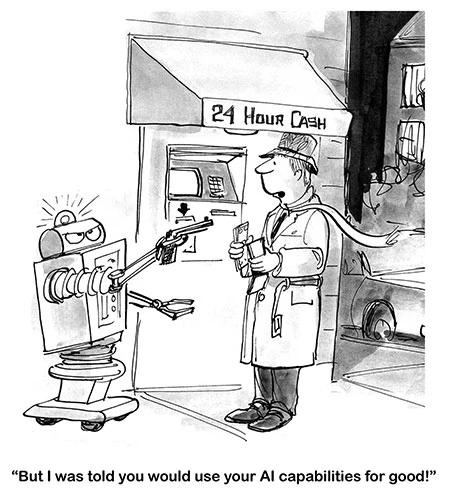
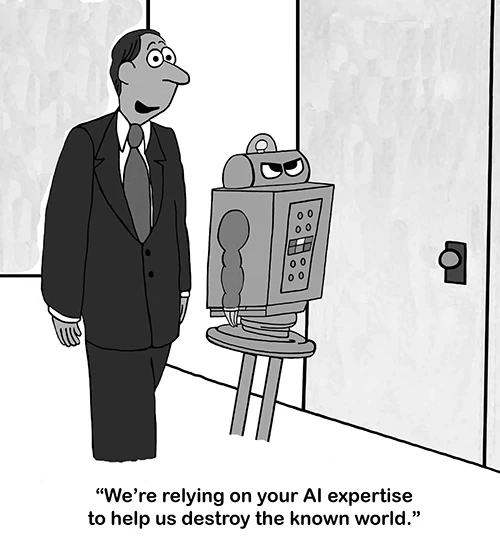
No one wants A.I. robots to take over the world. The environment is not ours to destroy, because “the earth is the Lord’s and the fullness thereof.” We must act responsibly in all the various challenges we face. But Christians should never give in to catastrophism. Not only has Scripture given us a better story of creation and better understanding of what has gone wrong with the world, we also know where history is headed. God has revealed to us the end of the story. And it is very good, because He is.
For more resources to live like a Christian in this cultural moment, go to Breakpoint.org. This is reprinted with permission from the Colson Center.
Last year’s screen-fast set the bar pretty high with over 900 people signing up to participate. This year, nearly 800 of you decided to once again sign on and limit your screen time for 10 straight days. It was encouraging for everyone involved to have so many others participating and promoting this challenge. We heard back from 130 screen-fasters and found out that over 70% completed 8 or more days.
Many of you also shared what you learned, how your kids got involved, tips for making the best use of your time, and the things you struggled with.
Doing this together
- “Every day I made a recording of what my day was like and sent it to all my children. The support from them was great. The reporting got me through the hard day’s because not only would I fail myself, but I would fail my children.”
- “I found that when my family did it alongside me, (unlike last year) it was much easier to stay off of my devices.”
I spent time with…
- “My nephew came over when there was 3 days left… I spent a lot of time with him and it was soo fun too!”
- “It was a hot week and I spent time with my kids and grandkids in the pool and just left my phone in the house the whole time. We also had campfires most evenings and chatted around the fire without the distraction of a screen.”
- “We ate a lot of meals outside, played games, took walks, worked outside together, and did a lot of reading.”
- “Because I didn’t always have video games to fall back onto, I wanted to spend more time outside or with my siblings.”
- “We observed our teen and ten-year-old son lounging on the youngest’s bunkbed having a conversation, something that would have never happened outside of our screen fast. They sought each other out, I think, because they were ‘bored.’ We also had an hour and a half conversation at one point with our teen about infant and adult baptism, morphing into other subjects…a conversation we felt he would not have initiated if he had not been ‘forced’ off his phone.”
- “My kids were surprised I had time to play with them that was a big hit to my heart.”
It was more peaceful
- “…we found everyone’s mood improved dramatically with no/less screens. The younger ones played much more pleasantly and creatively. We had better family conversations. It felt more peaceful in our home.”
- “As a mom I definitely appreciated not being asked every hour if they could go on either the Nintendo or tv! They all enjoyed a lot more time outside and we actually had later nights spent together because we were just enjoying our time outside and losing track of time.”
- “The kids took time to tinker, play and just be kids. There was no battle to shut the tv off.”
Just me and my brain
- “This fast helped me realize how much I habitually use my phone to entertain my brain in moments through the day. I was much less distracted without that constant pull.”
- “I’m nursing a baby right now and it’s “nice” to scroll through the boredom. But I sat in silence and let my brain rest instead of consuming content – which I think was good for my tired mind.”
- “I found myself more mentally available, having less things on my mind that I’ve read or watched on a short reel or a headline.”
- “The background “noise” of social media quieted and it was a noticeable relief for me. I thought I would miss the content but I don’t miss it.”
I had time to…
- “I finished and/or worked on a few projects that I have been working on that I probably wouldn’t have touched this summer, so that was good.”
- “I managed to get trousers mended, pillow cases resewn, garden seriously weeded, read several chapters in a couple of books I’ve been ‘meaning to’ read, cleaned out a room or two and did a 1000-piece puzzle…”
The blessing of sleep
- “….going 10 days without and seeing the benefit in my own productivity, presence, and even sleep, has me realizing what a blessing it would be if our schools also stepped away from screens.”
- “I noticed that my siblings slept in later because they didn’t have to rush to be the first one to get a screen.”
I didn’t know I could…
- “Well, as a soon-to-be senior at 63 years old, I hesitantly joined as I love movies and the long and short of it was that I thanked the Spirit for nudging (okay, pushing) me to participate in this challenge. Two key takeaways: 1) My body can move more than I thought it could! When you’re sedentary, you’re well… not moving. I was so bored during this screenfast that I actually tackled some hard, physical labour outside, with wonderful results for my efforts! 2) Sleep. Who knew that a screenfast would leave me bushed at the end of the day?! (see point one) Hello to voluntarily going to bed ON TIME instead of scrolling ad infintum till the wee hours.

Rules are here to help
- “In hindsight, I think I should have made the rules for myself a bit harder. It was good for me to beoff social media, but I found myself surprised at how many times I was still googling this or that and spending time on my phone … because I hadn’t made no googling part of my ‘fast.’”
- “I found the information provided this year allowed participants to build the screen fast in a way that made sense to them. It’snot about the rules; it’s about the bigger picture.”
Time with the Lord…
- “I meditated in God’s Word, relying on the Holy Spirit to fill my summer days with good and enjoyable things. A certain verse in the New Testament stood out to me: ‘But you, when you fast, anoint your head and wash your face, so that you do not appear to men to be fasting, but to your Father who is in the secret place; and your Father who sees in secret will reward you openly’ (Matt. 6:17-18, NKJV). Jesus said that if we fast faithfully we will be rewarded by our Father. What better way to be rewarded than to dwell in the words and presence of our Heavenly Father without screens or technology to distract us?”
- “I also found it easier to talk to God in prayer, and do my devotions because I could pay more attention.”
- “It was also amazing to discover God’s Word together as a family.”
- “It was very helpful to remind me not to grab for my phone first thing in the morning and to spend that time talking to God and doing my devotionals instead.”
What’s next?
- “I am going to keep social media off my phone the remainder of the Summer to continue good habits!”
- “Some aspects of the fast will continue beyond the fast and I pray that the Lord will give me the discernment and discipline to continue making wiser choices with the time He has given me day to day.”
- “We are happy to have participated in the screen fast and are praying that we will maintain our motivation to implement more conscious screen restrictions so that our family will continue to reap the benefits we experienced.”
- “Going forward I think we will set clear times when screens may or may not be allowed to stop the constant asking. I also had deleted social media apps from my phone for the fast and do not intend to redownload them…”
Some tips
- “…as long you put your phone physically away in the evening it made it much easier to screenfast!”
- “Another thing my wife and I did shortly before the fast began was installing a phone holder for our devices above the kitchen counter where, as a general practice, our phones stay while we are at home and also overnight. Not feeling every buzz in your pocket has allowed us to be more present with each other and our kids and also forces us to go out of our way to use our phones should the need arise.”
Way back in the Fall of 2021, I ditched my iPhone and got a dumbphone. I was sick of how my smartphone was a major distraction in my life. My phone began to use up too much of my brain space and mental energy. Parts of my brain were always thinking about stuff on my phone: baseball scores, texts from friends, emails, my eBay store, a backpacking forum, and other similar things. Though I haven’t ever done too much with social media or YouTube, I was still on my phone way too much. I tried apps that helped minimize screen time, and they did help to some extent. But I wanted to try a clean break and get a dumbphone.
Great advice is readily available
By the way, it is pretty easy to try out a dumbphone. Most flip phones aren’t terribly expensive, and you can often just swap SIM cards with your other phone. I started with a Nokia 6300. Then I got a CAT S22 flip phone and debloated it. I also tried out a $25 TCL flip phone. More recently, I got a Light Phone II. Note: The book Digital Minimalism by Cal Newport was a huge help in my move to a dumb phone. I highly recommend it! Jose Briones’ book, Low Tech Life is also quite helpful. There are plenty of resources out there to help people minimize their phone usage because it is such a big problem.
Fast-forward to over four years later: I have not gone back to a smartphone. And I’m not planning on doing so in the near future. For me, life is better without a smartphone in most situations. I can hang out with my friends and family and be completely present with them – my phone isn’t tugging at my attention. It’s no longer on my mind at all. I can stand in line at a store and talk to people or just think about random things rather than stare at a phone out of boredom. I don’t need email or a web browser when I’m at a baseball game, a movie, or out shopping for groceries. I still text a few times each day and make phone calls, but I’m pretty much never on it.
In fact, without a smartphone, my brain is less cluttered, my thoughts are less distracted, and my attention span has increased. I don’t ever suffer from dopamine withdrawal, and I’m not anxious or in a zombie-like state from doomscrolling for hours. And no longer does a smartphone affect my sleep. I have more time each day because I’m rarely on my phone. For me, minimal phone time has had maximum life benefits.
Speaking of anxiety and doomscrolling, another book I recently read is The Anxious Generation by Jonathan Haidt. It is a book that documents the rise of adolescent/teen anxiety, depression, and other mental issues in the last ten years or so. The reason for these increases, Haidt argues, is that most children in the last ten years have had a screen-based childhood rather than a play-based childhood. It’s a good book for parents to read. The author’s advice and my advice is this: don’t get your kids a smartphone until they’re older – I’d say 17 or 18. As another author bluntly put it, don’t get your kids a smartphone until you’re prepared to deal with pornography in the home.
Dumbphones, flip phones, and helpful apps
Now, I realize that some people with certain jobs might be unable to move to a dumbphone because of their work or travel. For example, a friend of mine is a dispatcher and his smartphone is crucial for him to get his job done well. If your phone is truly important for work, you could perhaps get a dumbphone for evenings and weekends. As I mentioned above, you can also find apps that help minimize your screen time. There are various tried-and-true ways to help you avoid excessive screen time and its associated negatives.
For those of you who don’t absolutely need a smartphone for work or another legitimate reason, I’d challenge you to do a digital detox and stop using one for a set number of days. Read Digital Minimalism and follow the advice there. Or read Catherine Price’s How to Break Up with Your Phone and give it a shot. As I mentioned earlier, cheap flip phones are an option for a digital detox. Thankfully, quite a few dumbphones and semi-dumbphones have come out in the last few years (see Dumbphones.org for a helpful list).
Your brain will thank you
I know that for some people, giving up a smartphone is almost impossible because the level of addiction is high. We’re not called the “dopamine nation” for nothing! But trust me, you can break up with your smartphone. You can take steps and develop habits to get your life back, regain your mental focus, and be present once again. You may want to get rid of your smartphone! Do you dare? Or maybe you just need a good app and an accountability partner. Whatever the case, I can say, based on some years of experience, that living without a smartphone is possible and beneficial. But even if you don’t totally give up your smartphone, I hope you find that drastically minimizing your smartphone use is a personal goal you make.
And I guarantee that if you seriously cut down on your phone use, your brain will thank you!
Shane Lems is the pastor of Covenant Orthodox Presbyterian Church in Hammond, Wisconsin, and blogs on books (and dumbphones too) at ReformedReader.wordpress.com, where a version of this article first appeared.
We need to control our technology; it can’t control us
“…it is absolutely completely possible to make different choices about technology from the default settings of the world around us….it is possible to love and use all kinds of technology but still make radical choices to prevent technology from taking over our lives.”
– Andy Crouch, author of The Tech-Wise Family
“The essential question we must constantly ask ourselves in the quickly evolving age of digital technology is not what can I do with my phone, but what should I do with it? That answer…can be resolved only by understanding why we exist in the first place.”
– Tony Reinke, author of 12 Ways Your Phone is Changing You
“Am I entitled to feed on the fragmented trivialities online? In other words, am I entitled to spend hours every month simply browsing odd curiosities? I get the distinct sense in Scripture that the answer is ‘no’.”
– Reinke
Your family may need to restrict technology
“There is a better way. It doesn’t require us to become Amish, entirely separately ourselves from the modern technological world, and it doesn’t require us to deny the real benefits that technology provides our families and our wider society. But let me be direct and honest: this better way is radical. It requires making choices that most of our neighbors aren’t making. It requires making choices that most of our neighbors in church aren’t making. Let me put it this way: you don’t have to become Amish, but you probably have to become closer to Amish than you think.”
– Crouch
Parents need to be examples
“Can we really tell our kids, ‘Do as we say, not as we do?’”
– Delaney Ruston, doctor and the documentary filmmaker of Screenagers
“The kids know we need help too….An awful lot of children born in 2007…have been competing with their parents’ screens their whole lives.”
– Crouch
Parents need to act sooner than later
“Many parents fear that if they approach certain topics too early it will give their kids ideas about those things before they actually need to face them. Let me ask you some questions…. Do your kids ride the school bus with older kids? Are there older kids in your neighborhood? …. You may shield your tweens from talk of dating and teen relationships, but what about the eleventh graders making out in the back of the bus? You might supervise Internet activity, but what about the computers at friends’ houses?”
– Nicole O’Dell, author of Hot Button Topics: Internet Edition
“An astonishing 62 percent of teenagers say they have received a nude image on their phone, and 40 percent say they have sent one.”
– Crouch
We need to be parents, not policemen
“Research shows that parenting with rules and boundaries but with love and caring promotes better everything; better grades in school, better relationships with their friends and family, everything!”
– Ruston
“Our children need to feel love, not condemnation. They should trust that we’re an ally, not the enemy. You’re not fighting against your kids in hopes of coming out victorious over them; you’re in a battle for them.”
– O’Dell